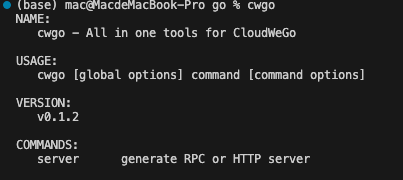
mac 中 command not found 解决方案 (go install 为例子)
解决mac中使用go install下载工具后出现command not found的问题,通过配置GOPATH和PATH环境变量的通用方案。
views
| comments
在mac中使用go install下载工具后,使用cil使用工具会出现command not found提示。
使用网上各种方案后,总结可能的通用方案。
- 使用命令
go env查看go环境,找到GOPATH一栏(go install的内容会放在该目录下)
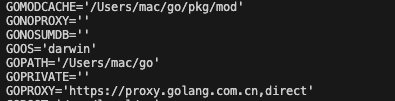 2. 为了更具体到了解到GOPATH里存的是什么,我们cd看一下
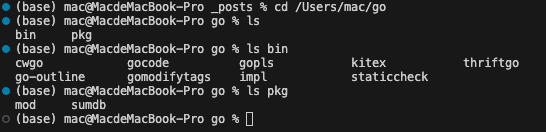 可以看到bin目录下有我们下载的命令(如果下载成功)
3. 将bin目录写到我们的PATH中,我这里使用的是zsh的配置文件:
可以看到bin目录下有我们下载的命令(如果下载成功)
3. 将bin目录写到我们的PATH中,我这里使用的是zsh的配置文件:
vim ~/.zshrc然后写入
PATH=$PATH:/Users/mac/go/bin之后重新载入.zshrc,就可以全局使用命令了
source ~/.zshrc